6 Framer SaaS Templates: Pages, Demos and Selection Tips
Craftwork
12 October 2026

5 mins to read
Framer SaaS templates can provide a starting layout for a software product website, but the useful choice depends on the pages and content your launch needs. This guide compares six templates available on Craftwork using their stated catalog details. You can inspect each live demo, open the product listing and compare page coverage before buying. The descriptions below separate listed features from questions that still need checking; they are not performance benchmarks or claims of higher conversion.
In this article
Craftwork Newsletter
Get the latest news, tutorials, resources, tools, and new product releases directly to your inbox every week.
Log in with your Craftwork account first and claim your gifts on the newsletter page.
Subscribing our newsletter you agree to our Terms of Use and Privacy Policy.
Compare the stated pages and features
Start with the page inventory and the material your team already has. A template with a short description may still suit your project, but its live demo and product listing should answer the missing questions.
Nexify — Premium SaaS Template

Nexify is a Framer template for AI-powered SaaS products. Its catalog description lists Home, Contact, 404 and Changelog pages, reusable components and responsive layouts. Choose it when those listed pages fit your launch plan, then inspect the demo for any additional pages your product needs. The catalog also offers a separate Framer Template + Figma Design File variant, so compare the variants before buying.
Pixelcot SaaS Template

Pixelcot is a Framer template aimed at SaaS companies, with responsive design, built-in components and flexible layouts described in its listing. It is a candidate for presenting a software product without starting the visual layout from scratch. Before choosing it, compare the live demo with your own feature explanations, navigation and pricing requirements; the catalog description does not enumerate every included page.
Pastel One Page Saas Template
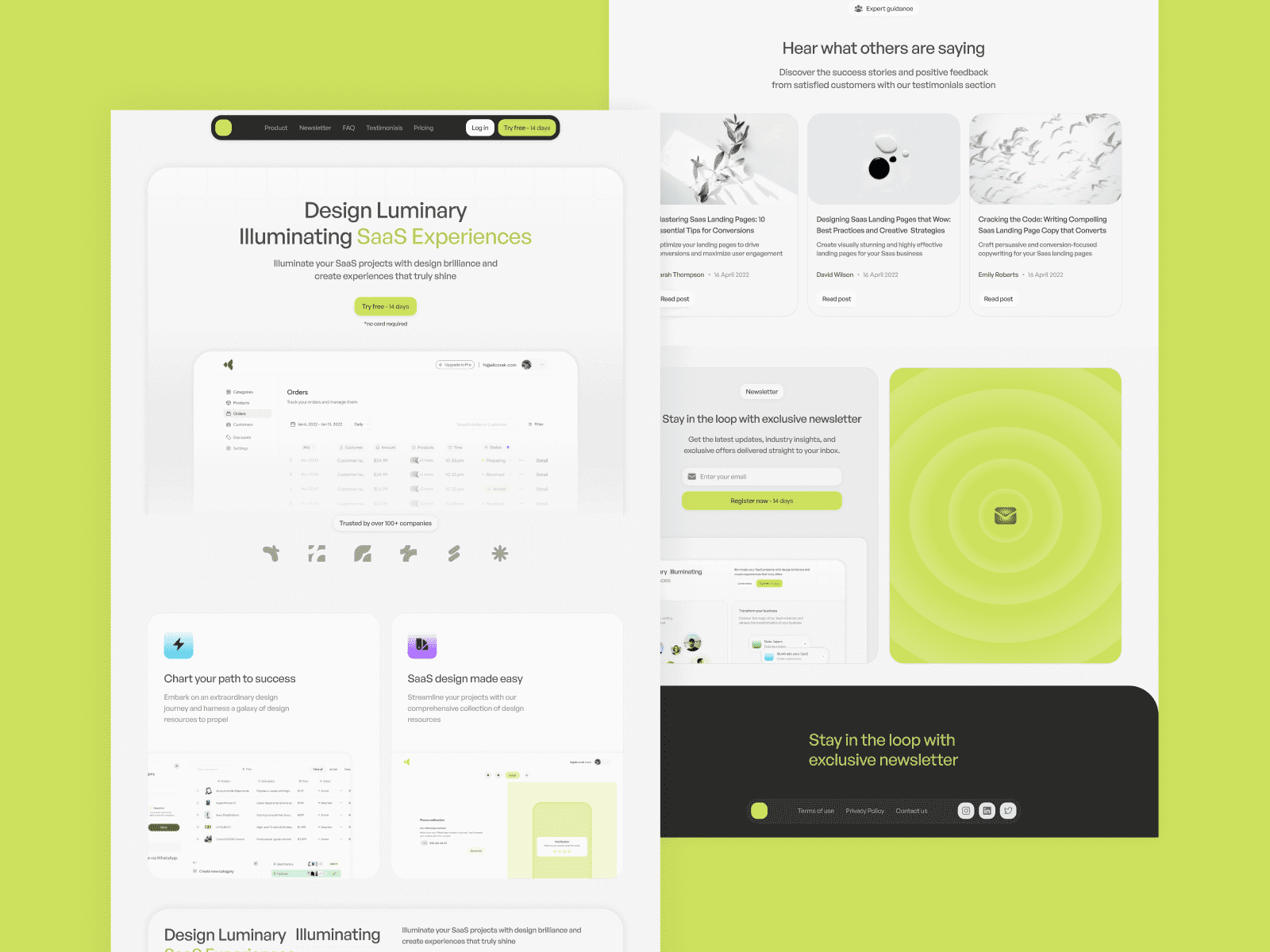
Pastel is listed as a one-page SaaS template for Framer. The description names customizable dark and light modes and animations. Consider this option for a focused product introduction, and review the demo to decide whether one page can explain your offer clearly. If your launch needs separate documentation, support or legal pages, confirm those requirements before committing to the template.
HelloBot

HelloBot is a premium Framer template for SaaS products. Its description mentions essential pages, animations and a modern visual design, but does not provide a complete page inventory. Use the live demo to inspect the product story and available navigation. Check the sections against your own content rather than assuming that an unspecified page or integration is included.
Neurapen

NeuraPen is a SaaS Framer template with a more explicit page list: Home, Blog, Terms & Conditions, Privacy Policy and 404. The Home description includes feature highlights, testimonials, pricing and a call to action. The listing also includes an editable Figma landing-page file. This makes the stated page inventory useful for comparison; replace sample claims and legal text with information appropriate to your own product.
Beamify Crypto SaaS Template
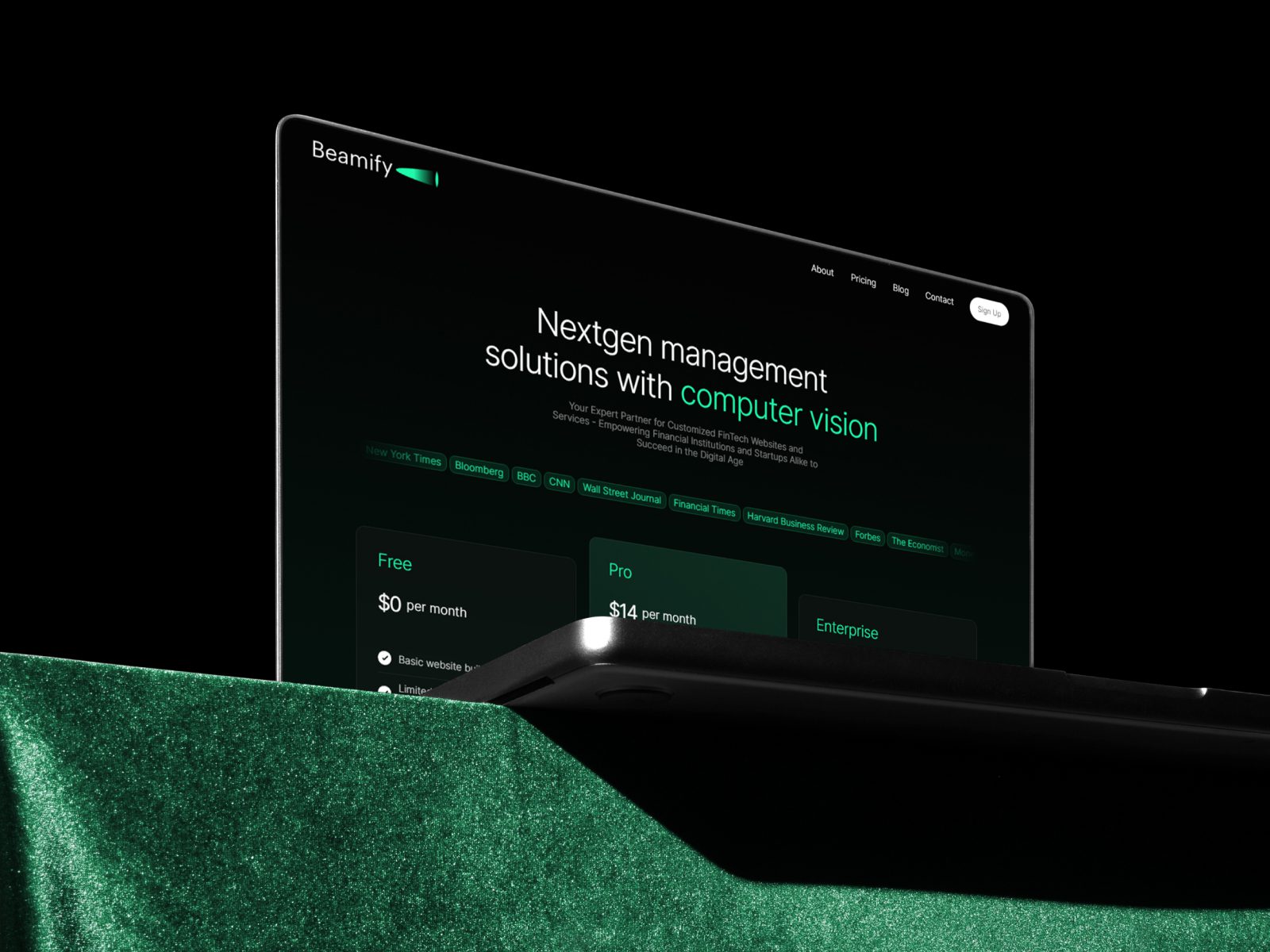
Beamify is listed as a Crypto SaaS Framer template. Its description highlights a clean, minimal design and the ability to change pages, blog and pricing content before publishing. Treat the crypto wording as the template positioning, not evidence of wallet connections or blockchain functionality. Review the demo as a website template and confirm any functional requirements separately.
Check the template against your launch plan
Write down the pages your launch requires, then compare that list with the actual demo navigation and the product description. Test the demo on the screen sizes your audience uses; this guide does not claim that the templates have passed an independent performance or accessibility audit. Confirm what the selected purchase variant includes, especially when a Figma file is available only in one variant. Check the current price and license in the product listing and checkout, and account separately for any Framer hosting plan or third-party services you need. Choose the template that supports your content and requirements, rather than relying on a generic promise of speed or conversions.
Explore Framer templates for more options. For free resources, read Free Framer Templates: Demos, Features and Licensing.
Read more
Explore all