10 2D Design Icons for Digital Interfaces
Craftwork
05 October 2026

5 mins to read
These 2D design icons give UI and graphic designers practical options for websites, apps, and digital layouts. This roundup covers consistent interface systems, outline and stroke collections, and more expressive visual styles. Use the product descriptions to compare icon counts, categories, grids, and visual treatments before choosing an asset for your next project.
In this article
Craftwork Newsletter
Get the latest news, tutorials, resources, tools, and new product releases directly to your inbox every week.
Log in with your Craftwork account first and claim your gifts on the newsletter page.
Subscribing our newsletter you agree to our Terms of Use and Privacy Policy.
Core 2D design icons
These collections focus on broad interface coverage and consistent visual systems. They are useful when a project needs a dependable library rather than a small set for one narrow feature.
Core Essential UI Icons

Core Essential UI Icons contains vector icons built on a small 14px grid for legibility. Its focus on essential UI symbols makes it a practical starting point for interface layouts that need clear, compact iconography.
Ultimate UI/UX Design Icons

Ultimate UI/UX Design Icons is an icon encyclopedia with three styles and a 24px grid. The broad system suits designers building modern UI and UX layouts that need related icons with a consistent underlying structure.
Circum 1.1

Circum 1.1 includes 809 consistent icons arranged across 17 categories. With app, desktop, and mobile use represented in its tags, it fits interface projects that need coverage across several product screens.
Pixel-Perfect Icon Set

Pixel-Perfect Icon Set provides 1,470 customizable, stroke-based vector icons across 14 categories. Its Figma, mobile, and web tags make it relevant for designers assembling detailed interface systems for digital products.
Outline and stroke collections
Outline-focused assets can keep navigation, controls, and supporting graphics visually restrained. These sets offer different approaches, from strict line systems to mixed fill and stroke symbols.
Edge

Edge is a collection of strict outline icons offered in three line styles. The interface-focused set is a strong fit for clean navigation, controls, and other UI elements where a consistent outline treatment matters.
Clickons

Clickons includes 500 open-source icons in both fill and stroke treatments. Its Figma, app, and UI tags make it useful when a digital project needs two related visual approaches for interface and product design.
Basil

Basil brings together 500 minimalistic icons across nine categories. With light and dark UI, app, UX, and vector tags, it can support a range of restrained interface and visual design layouts.
Expressive 2D design icons
Not every interface needs a neutral symbol set. These collections use softer, bolder, or more geometric shapes when the visual language of a product or digital layout needs a stronger point of view.
Flex Smooth Design Icons

Flex Smooth Design Icons uses curving, modern shapes built on a 14px grid and provides eight styles. The range gives UI designers a way to keep a coherent system while choosing a softer visual direction.
Plump Friendly Design Icons

Plump Friendly Design Icons features chunky shapes with a warm, hand-drawn quality inspired by cartoons. It suits apps and digital layouts that call for a friendly icon treatment instead of a strictly neutral UI style.
Sharp Geometric UI Icons
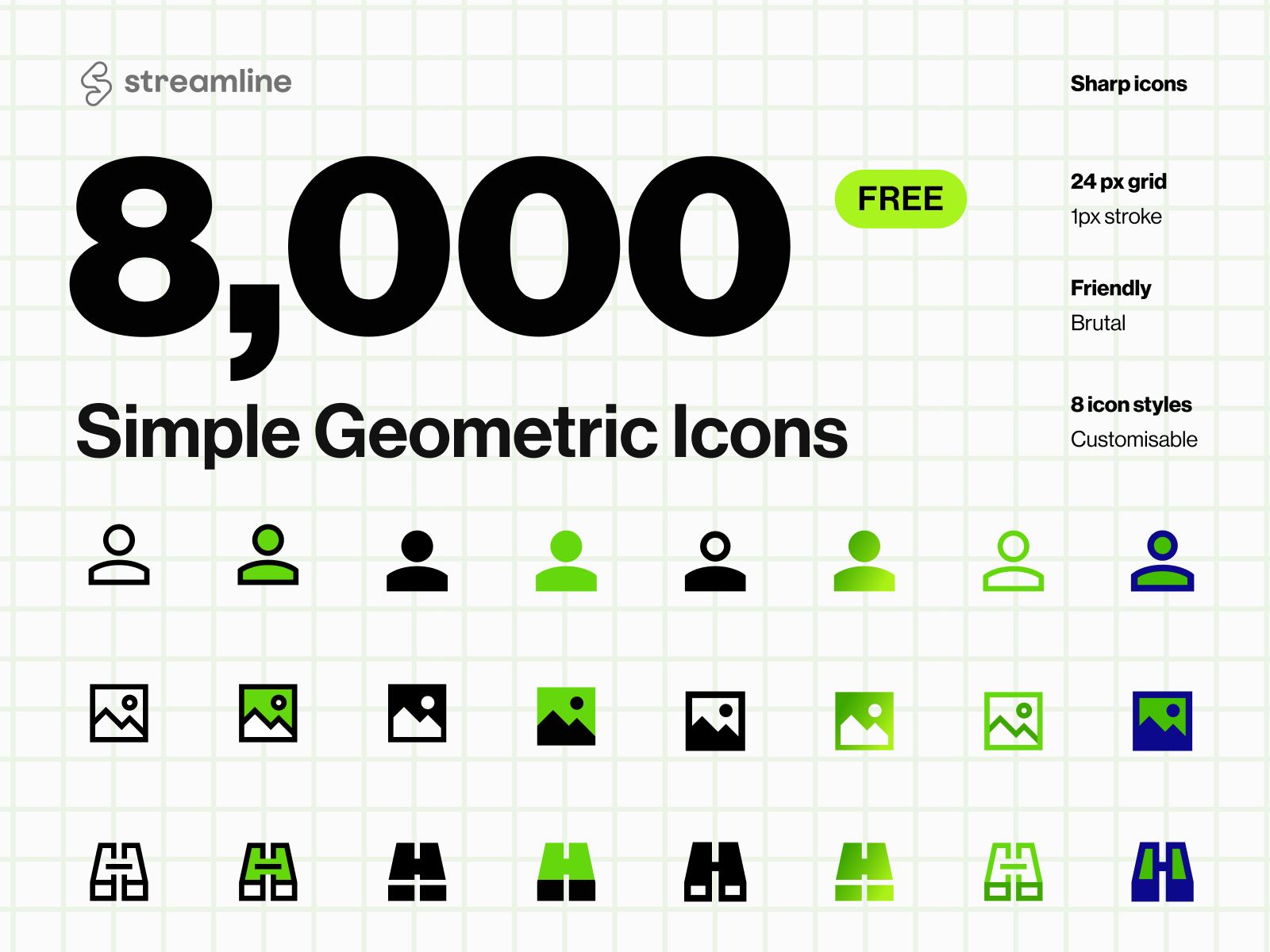
Sharp Geometric UI Icons combines pure geometry with bold structure for a brutalist, high-tech feel. Its vector and SVG-related tags make it a focused option for interfaces and visual systems built around sharp, minimalist forms.
How to choose the right icon set
Start with the project’s visual language: choose a grid-based system for broad UI coverage, an outline collection for restrained controls, or a distinctive style for more characterful layouts. Then compare category breadth, icon count, and whether fill, stroke, or multiple styles best match the interface. Explore the Craftwork catalog for more design assets for your next project.
Read more
Explore all