10 3D iPhone Mockups for Product Presentations
Craftwork
06 October 2026

6 mins to read
A 3d mockup iphone asset can turn an app screen into a clear visual for a launch page, product review, or portfolio. This roundup brings together ten options spanning high-resolution 3D models, realistic scene collections, and presentation packs for designers, founders, and product teams. Use the product details below to compare scene variety, visual style, and available formats before choosing.
In this article
Craftwork Newsletter
Get the latest news, tutorials, resources, tools, and new product releases directly to your inbox every week.
Log in with your Craftwork account first and claim your gifts on the newsletter page.
Subscribing our newsletter you agree to our Terms of Use and Privacy Policy.
3D iPhone mockup assets
These options focus most directly on dimensional device visuals, making them useful when an app presentation needs visible form, depth, or a defined setting.
iPhone 14 Pro Free 3D Mockup 01

This free iPhone 14 Pro 3D mockup provides a high-resolution device visual for showing app details. Its Figma category and iPhone-focused setup make it a practical starting point for interface presentations that need a clear 3D phone view.
Hero iPhone 17 Pro Max Mockups

Hero iPhone 17 Pro Max Mockups are a set of device mockups aimed at high-impact app showcases. The product includes PSD and Figma mockup tags, along with a 3D mockup tag, so it suits teams preparing polished product presentation visuals in either workflow.
iPhone 16 Pro Mockup Pack
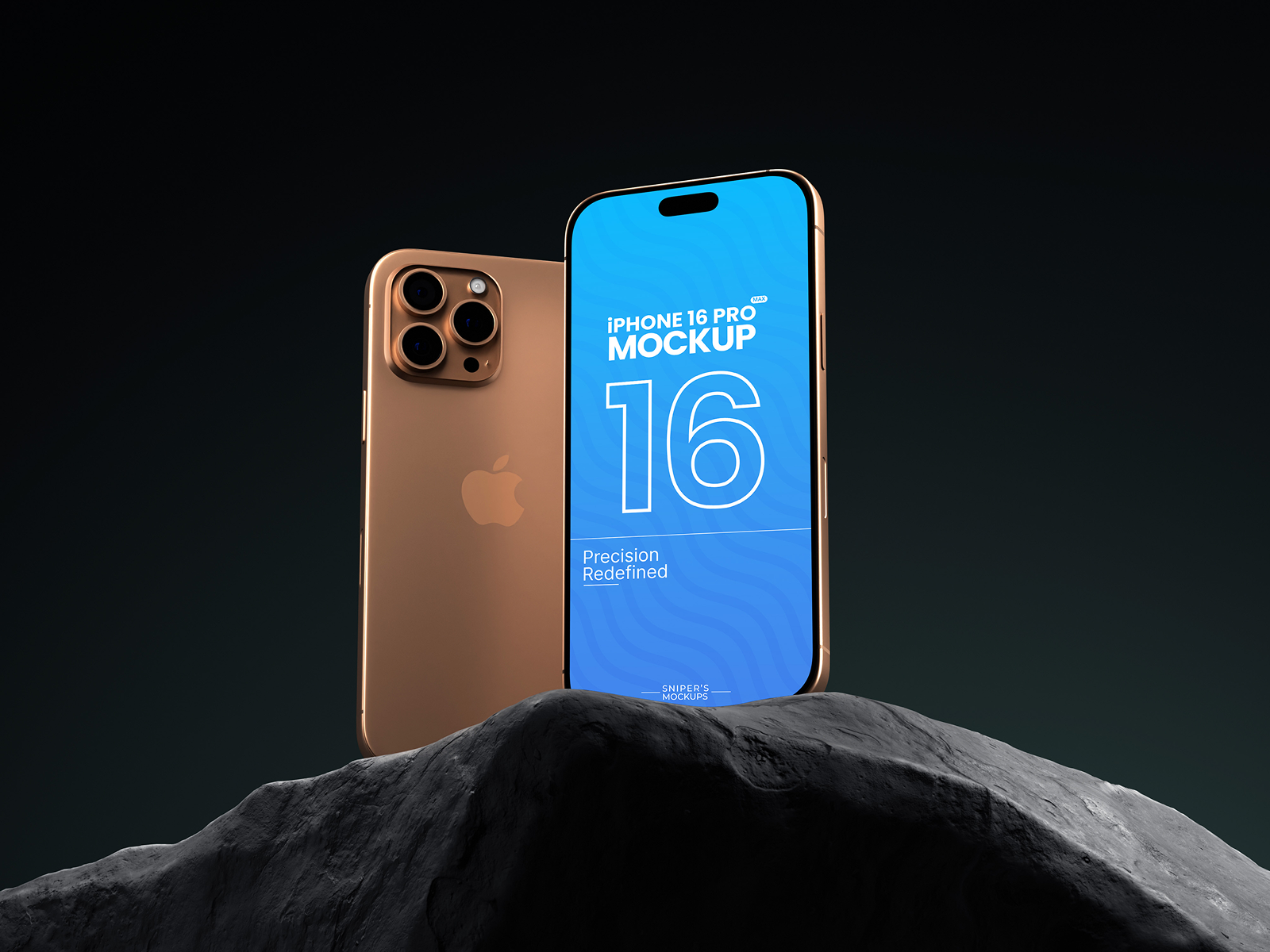
This free iPhone 16 Pro pack is built around 4K mockup imagery and a Gravity Carve presentation style. Its PSD, Blender, and 3D mockup tags make it a useful choice for app or UI/UX work that needs a more dimensional phone presentation.
Realistic iPhone scene collections
Scene-based packs give product teams more than one composition to test across portfolio pages, pitch decks, or launch materials. Choose these when variety matters as much as the device model.
iPhone 16 Pro Mockups

This collection contains eight realistic iPhone 16 Pro mockup scenes. It is focused on mobile presentation work and gives designers a defined set of realistic device views for app screens, UI layouts, or feature showcases.
K-Mockups: iPhone 15 Pro
.jpeg)
K-Mockups: iPhone 15 Pro provides 16 scenes designed for mobile app presentations, product mockups, and UI showcases. Its tags identify it as a high-resolution 3D device mockup, making it suitable for polished product visuals with multiple compositions.
Figma and Photoshop presentation packs
These collections are a good fit when your team needs established design-tool workflows and a larger selection of standalone device scenes for repeated presentations.
iPhone 13 Pro Mockups

This iPhone 13 Pro collection includes 24 mockup scenes for Figma, Sketch, and Photoshop. The range makes it useful for designers who need to place app, UI, UX, or web work into multiple iPhone presentations without changing tools.
iPhone 15 Pro Mockups Vol.01

iPhone 15 Pro Mockups Vol.01 focuses on standalone device mockups for presenting interface work. Its Figma tag and iPhone-specific format make it a suitable option for designers preparing individual app screens or portfolio compositions.
App-focused iPhone 16 sets
These iPhone 16 collections keep the emphasis on app design and feature presentation. Compare them when the device generation and interface context are central to the visual.
iPhone 16 Pro Mockups Vol.02

This iPhone 16 Pro set is intended for showcasing app design and features. Its tags cover mobile, UI, UX/UI, web, and iPhone 16 Pro work, so it fits product teams presenting interface flows or individual feature screens.
iPhone 16 Pro Mockup Vol.01

iPhone 16 Pro Mockup Vol.01 offers high-quality mockups for app presentation and app showcase work. The product is tagged for app UI and digital product mockups, making it relevant for teams turning interface designs into product-facing visuals.
How to choose the right mockup
Start with the required device model, then narrow the list by scene count, visual treatment, and workflow: choose the free 3D option for a focused device visual, a larger collection for varied layouts, or a Figma, Sketch, Photoshop, PSD, or Blender-tagged product that matches your process. For app launches and portfolios, select scenes that support the amount of interface detail you need to show. Explore the Craftwork catalog for more mockups and design assets.
Read more
Explore all