20 Illustrations for Onboarding and UX
Craftwork
31 October 2025

9 mins to read
A curated lineup of illustrations for onboarding and UX and UI kits helps teams ship faster without visual noise. Covering empty states, error screens, and skeleton loaders, these assets keep users oriented when data is missing or flows break. Product designers, marketers, and founders can plug them into web and mobile flows to improve clarity, reduce confusion, and standardize patterns—then scale those wins across features and releases.
In this article
Craftwork Newsletter
Get the latest news, tutorials, resources, tools, and new product releases directly to your inbox every week.
Log in with your Craftwork account first and claim your gifts on the newsletter page.
Subscribing our newsletter you agree to our Terms of Use and Privacy Policy.
Empty State UI Illustrations
 Purpose-built scenes that turn empty states into clear, instructive moments. Keep flows moving during first-run and no-data screens without visual noise.
Empty States Illustration Art Set

Lightweight visuals for dashboards, lists, and search. Pair each state with a next action, keep tone friendly, and reduce friction.
Empty State UX Illustration Set

Product-centric metaphors that help users understand structure on first contact. Reduce blanks with guided steps and maintain consistency across screens.
Subtle Empty States

Minimal, low-contrast compositions that keep primary actions in focus. Ideal when you need quiet visuals for data-heavy interfaces.
Rodfy Empty State Illustrations

Friendly characters add warmth without distracting from tasks. Great for onboarding and low-data moments that need a touch of personality.
Cirtue

Crisp scenes that read well at small sizes and in dark mode. Use to soften first-time experiences and confirm success states.
Error 404 Illustrations

Turn dead ends into helpful detours with clear 404 cues. Offer navigation back to safety and reduce frustration.
Error Illustrations Art Set

Consistent visuals for warnings, timeouts, and failures. Apply across modals and pages to standardize error handling.
Fatal Error

Visual language for critical states that require immediate action. Communicate severity while keeping guidance actionable.
Pincy Error

Playful style that lowers tension when things fail. Works well with retry patterns and contextual tips.
Ponchy

Character-driven scenes for completion, education, and recovery. Maintain a friendly tone while reinforcing next steps.
Maggy

Adaptable visuals that match neutral product aesthetics. Useful for tutorials, upsells, and in-between steps.
Interfaces Illustrations

UI-centric metaphors that explain features and multi-step flows. Speed up comprehension with recognizable components.
Business Hand-Drawn UX Illustration Set

Hand-drawn tone adds human warmth to walkthroughs. Great for tooltips, empty dashboards, and lightweight education.
Delivery Illustrations

Logistics visuals for status updates across the delivery journey. Clarify pending, shipped, and failed states at a glance.
Clickons

Interface-ready icons that scale across breakpoints. Reinforce toasts, banners, and helper text without extra weight.
Tabbsi — Buy Now, Pay Later Finance Mobile UI

Mobile patterns to study state handling for payments. Reuse approaches for errors, edge cases, and confirmations.
FurnitSphere — Furniture eCommerce App UI Kit

Commerce flows that demonstrate empty carts, wishlists, and status. Keep shopping journeys predictable and calm.
TalentSync — Recruitment & HR Management Kit
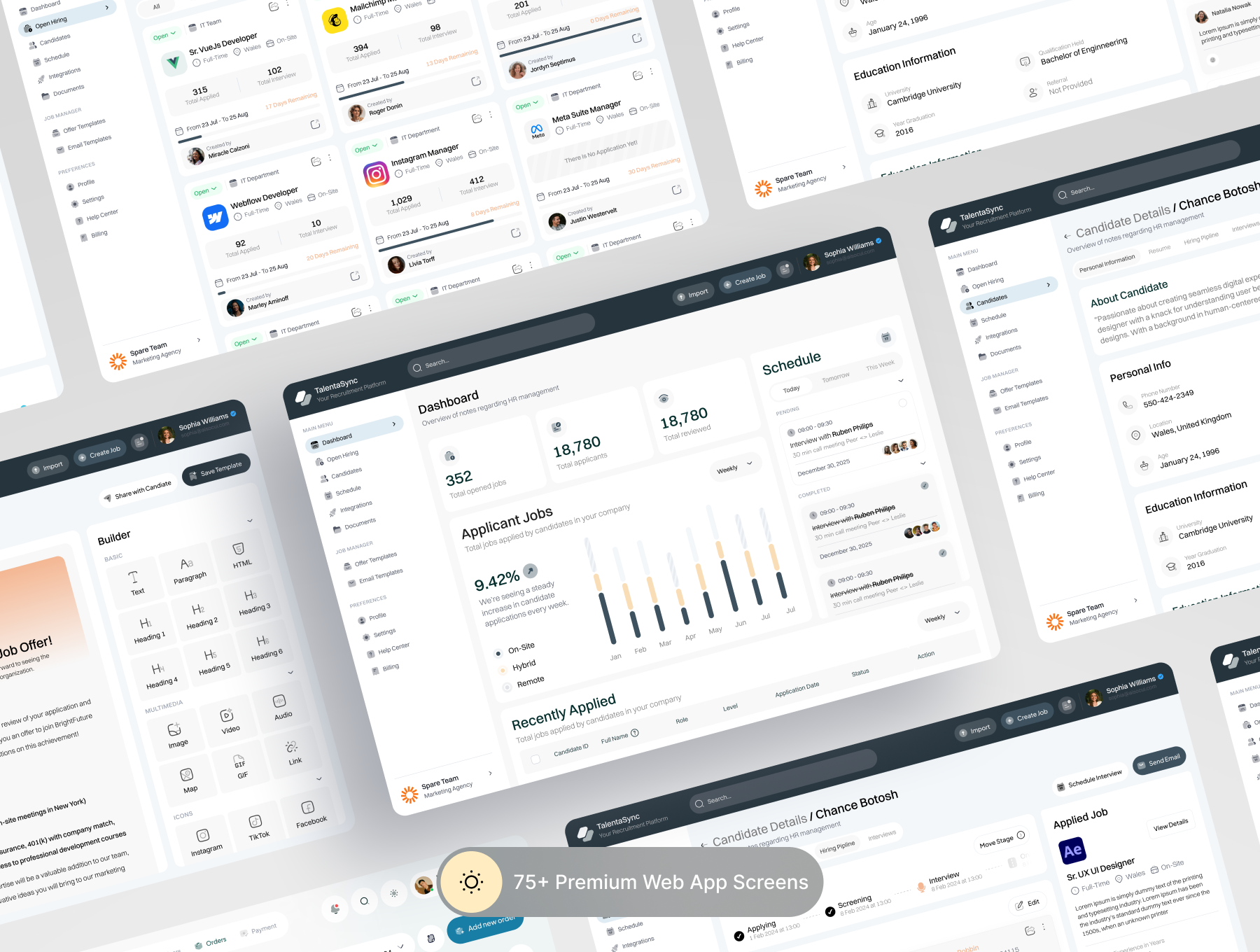
Patterns for pipelines, zero-results, and candidate states. Help complex dashboards remain readable under load.
AI Voice Generator UI Kit

Approaches for feature discovery, trial limits, and long tasks. Communicate progress and clear next steps.
A thoughtful set of illustrations for onboarding and UX turns empty states and error screens into clear guidance, not dead ends. Shortlist a few packs, test them in realistic flows, and document the winners in your design system. With Pro Access, all these products are included at no additional cost, so you can standardize fast and keep iterating.
Read more
Explore all